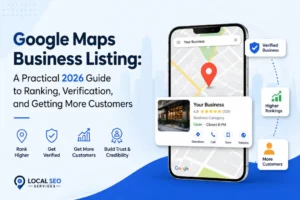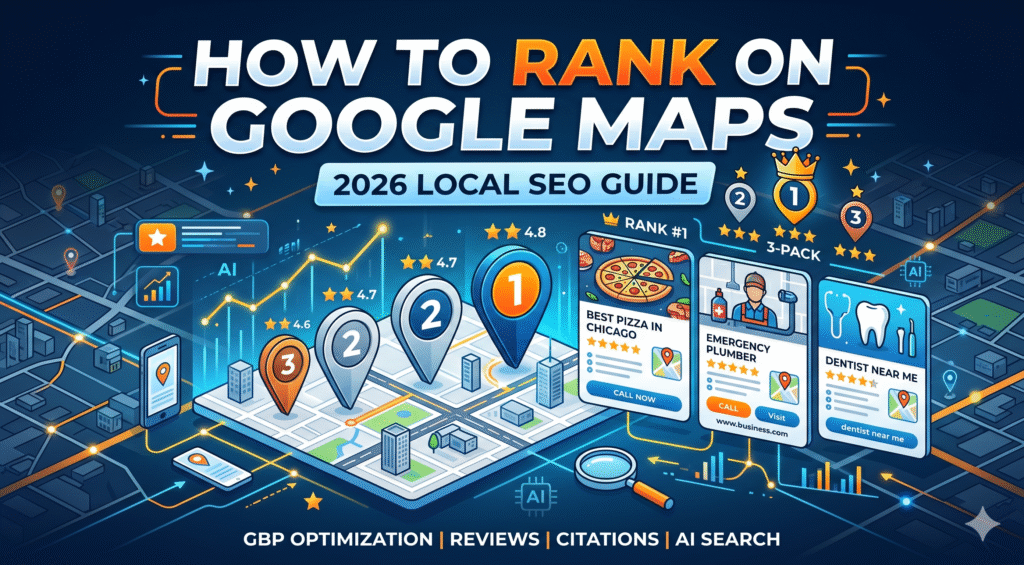
When someone searches “dentist near me” or “coffee shop in [city name],” Google shows a map at the top of the results with three business listings. That block — called the local pack or map pack — is what you’re trying to get into. It’s a different system from regular organic search. Your website’s domain authority doesn’t automatically transfer here. A business that ranks #1 organically can sit completely outside the map pack, while a competitor with a better-optimized Google Business Profile shows up above them. The local pack captures most of the clicks. Businesses in the top three positions get the majority of calls, directions requests, and website visits from local searches. If you’re below position three, you’re mostly invisible to people searching on their phones. There’s a second layer to this in 2026 that most guides aren’t covering yet: AI search tools. The proportion of consumers using AI to find local business recommendations has climbed from 6% in 2025 to 45% in 2026. ChatGPT, Perplexity, and Gemini are now a real local discovery channel — and the signals that drive visibility there are somewhat different from what drives local pack rankings. We’ll get to that in Step 9.
The Three Factors Google Uses to Rank Local Businesses {#three-factors}
Google has published its local ranking criteria directly in the Google Business Profile Help Center. There are three: Relevance — how well your profile matches what someone is searching for. This is mostly within your control: your primary category, secondary categories, services listed, and the keywords in your business description all feed into this signal. Distance — how close your business is to the searcher or to the location they specified. You can’t move your business. But you can influence proximity indirectly through service area configuration and location-specific landing pages. Prominence — how well-known and trusted your business appears across the web. This pulls in review volume and ratings, citations across directories, backlinks, and behavioral signals like how many people click on your listing, call from it, or request directions. According to the Whitespark 2026 Local Search Ranking Factors report, proximity accounts for roughly 55% of ranking decisions — the single biggest factor, and one you can’t directly control. That puts even more pressure on the factors you can control: GBP signals (32%), review signals (16–20%), and on-page SEO (19%). The practical takeaway: stop trying to game the system and focus on actually optimizing the controllable factors. The businesses that show up consistently are the ones that treat their Google Business Profile as a live asset, not a set-it-and-forget-it listing.
Step 1: Claim and Verify Your Google Business Profile {#step-1}
Before anything else, you need to own your listing. Go to business.google.com, search for your business name, and claim it if it already exists (Google creates listings automatically from various data sources). If nothing comes up, create a new one. Verification is non-negotiable. An unverified profile can’t rank. Google offers a few verification methods depending on your business type: postcard by mail, phone, email, video recording, or live video call with a Google specialist. Most businesses use postcard verification—it takes about a week. If your business was already claimed by someone else—a previous employee, an old agency, or the previous owner—you’ll need to request access through Google’s ownership transfer process. It takes a few days, but it works. One thing worth knowing: duplicate or conflicting listings still cause meaningful damage — confusing algorithms, splitting authority, and lowering your chance of appearing in the map pack or AI-powered answers. Before creating a new profile, search for your business thoroughly to make sure a duplicate doesn’t already exist. If you find one, merge or remove it.
Step 2: Choose the Right Primary Category {#step-2}
This is probably the highest-leverage decision you’ll make for your Google Business Profile. Your primary category is the single most important optimization decision for your GBP. Whitespark’s 2026 Local Search Ranking Factors report identifies it as the number-one ranking factor for the Local Pack and Maps — the signal Google uses most heavily to determine which searches your business is eligible to appear in. The principle is specificity. “Pizza Restaurant” outperforms “Restaurant.” “Emergency Plumber” outperforms “Plumber” if that’s your primary offering. “Pediatric Dentist” outperforms “Dentist” if children are your main patient base. Search Google for your main service and look at what category the top three map results are using. That category is usually the correct one. You can add two or three secondary categories for other significant services you offer—a bakery that also serves coffee can list both—but your primary category should reflect the core thing people are coming to you for. What you shouldn’t do: choose a broad category hoping to show up for more searches. It doesn’t work that way. A broad category makes your relevance signal weaker, not wider.
Step 3: Fill Out Your Profile Completely {#step-3}
Most businesses don’t do this. That gap is your opportunity.
Business Name
Use your actual business name. Don’t stuff keywords into it. “Joe’s Plumbing – Best Plumber in Chicago Emergency 24/7” will get your listing suspended. Google’s guidelines require your name to match what appears on your storefront, website, and business cards.
Business Description
You get 750 characters. Use all of them. Write it for a human — describe what you do, who you serve, and what makes your business different. Work in your primary keyword and city naturally. Don’t write it like ad copy, and don’t repeat your business name three times.
Hours
Keep them accurate and up to date. Add holiday hours when relevant. Listings with outdated hours generate negative reviews and hurt behavioral signals when people show up at the wrong time.
Phone Number, Website, and Address
Use a local phone number, not a call tracking number that’s shared across locations. Your address needs to match what’s on your website exactly — same abbreviations, same suite format, same ZIP code. This is your NAP (name, address, phone), and consistency matters more than most people realize (more on that in Step 5).
Services and Products
Google lets you list individual services with descriptions and prices. Most businesses skip this. Adding specific services—”Roof Inspection,” “Emergency Roof Repair,” “Flat Roof Installation”—instead of just “Roofing”—expands the long-tail searches your profile is eligible to appear in.
Attributes
Attributes are the checkboxes like “women-owned,” “LGBTQ+-friendly,” “outdoor seating,” “free Wi-Fi,” and “accepts credit cards.” These filter search results. If a user searches for “coffee shop with outdoor seating,” only businesses with that attribute set will appear when Google applies that filter. Check every attribute that legitimately applies to your business.
Questions and Answers
The Q&A section on your profile is public and editable by anyone. Seed it yourself with common questions and thorough answers. Monitor it for inaccurate answers left by strangers.
Step 4: Build a Review Strategy, Not a Review Count {#step-4}
Reviews are the second most controllable ranking factor after your GBP signals. And the data has gotten more interesting. Yext’s 2026 study found that businesses with 100+ reviews and consistent owner responses outranked businesses with similar review counts but no replies. The response itself is a ranking signal. Two groups grew more than all others in the 2026 Whitespark Local Pack/Maps ranking factors: review signals (recency, frequency, sentiment, volume, speed, and depth) and behavioral signals (routes traced, clicks, calls, and post-click engagement). Here’s what that means in practice: Review velocity beats review volume. A business that gets two or three reviews per week over several months sends a stronger signal than one that collects 40 reviews in two weeks and then stops. Google’s systems are sensitive to sudden spikes—they can trigger review filtering or flag your profile for scrutiny. Respond to everything. Businesses that respond to 80% or more of their reviews see a measurable boost in ranking. A 1-star review with a professional, empathetic response builds more trust than a 1-star review that’s been ignored for six months. Recency matters a lot. In food and dining specifically, Yext found that reviews less than two weeks old had the strongest impact on visibility. For most categories, reviews older than 12 months carry diminishing weight. Keyword mentions in reviews help. When customers mention your services, your city, and specific details in their reviews, those function as additional relevance signals. You can’t put words in customers’ mouths, but your review request message can ask them to describe the specific service they received. 31% of consumers will only use a business with 4.5 or more stars, up from 17% in 2025. And 47% won’t use a business with fewer than 20 reviews. Those thresholds have shifted sharply in one year—which means what was a “good enough” review profile in 2024 may be genuinely hurting your conversion rate now.
How to Ask for Reviews Without Violating Google’s Guidelines
- Send a follow-up text or email after every job or transaction with a direct link to your review page (use Google’s review link generator at business.google.com)
- Train front desk and customer-facing staff to verbally mention leaving a review
- Add a review request to your invoice footer or receipt
- Never offer incentives for reviews — this violates Google’s policies and can result in profile suspension
- Never ask for reviews on a tablet at your location — Google considers “review stations” a policy violation
Step 5: Get Your NAP Consistent Across the Web {#step-5}
NAP stands for name, address, and phone number. Consistency across every directory, platform, and website where your business appears tells Google that your listing information is accurate and trustworthy. A business listed as “Smith & Sons Plumbing” in one place, “Smith and Sons Plumbing” in another, and “Smith & Sons Plumbing LLC” in a third introduces ambiguity. Google’s algorithm doesn’t always recognize these as the same entity. Start with the big directories: Yelp, Facebook, Apple Maps, Bing Places, Yellow Pages, and any industry-specific directories relevant to your category (Healthgrades for healthcare, Avvo for legal, Houzz for home services). Then work outward to local chamber of commerce listings and city business directories. Whitespark’s 2026 findings reinforce that clean, consistent business information tells both Google and AI systems that your brand is trustworthy. Duplicate or conflicting listings still cause meaningful damage — confusing algorithms, splitting authority, and lowering your chance of appearing in the map pack or AI-powered answers. Tools like Moz Local, BrightLocal, or Yext can audit your citation profile and identify inconsistencies. The audit is worth doing before you invest heavily in other optimization — you’d be surprised how many businesses have three slightly different addresses scattered across 40 directories.
Step 6: Optimize Your Website for Local Search {#step-6}
Your Google Business Profile links to your website. That link is a trust signal. If your website is slow, non-mobile-friendly, or doesn’t clearly reinforce the local signals in your GBP, you’re leaving ranking strength on the table.
Local Keywords on Your Website
Add your city and service area to your title tags, meta descriptions, H1s, and page copy. The phrase should read naturally — “emergency plumber in Austin” works; “Austin emergency plumber Austin Texas 24/7 best Austin plumber” doesn’t.
Location Pages
If you serve multiple areas or have multiple locations, create a dedicated page for each. Don’t lump everything onto a single “service areas” page. Each location page should have a unique address, phone number, hours, local team info, and area-specific content.
LocalBusiness Schema Markup
Schema markup is structured data code that helps search engines understand what your business is, where it’s located, and what it does. The LocalBusiness schema type—or a more specific subtype like MedicalBusiness or Restaurant—communicates your NAP, hours, service categories, and more directly to Google’s crawlers. This is technical but manageable. Google’s Structured Data Markup Helper can generate it, or your web developer can implement it. Google’s Rich Results Test will show you if it’s working.
Mobile Speed
Test your site’s speed using Google PageSpeed Insights. Make sure your phone number is clickable and at the top of every page. Add a Google Map embed and written directions to your contact page. These aren’t optional. The majority of local searches happen on mobile, and a page that takes four seconds to load loses customers before they ever see your content.
Step 7: Build Local Citations and Backlinks {#step-7}
Citations are mentions of your business name, address, and phone number across the web — sometimes with a link, sometimes without. They function as trust signals. Structured citations are directory listings where you actively submit your information (Yelp, TripAdvisor, industry directories). These are important for NAP consistency. Unstructured citations are editorial mentions — a local news article that references your business, a blogger who recommends you, a community forum where someone mentions your name. The Whitespark 2026 report flagged unstructured citations as the 4th most important factor for AI search visibility — not links, but mentions. For local backlinks, the best sources are:
- Local news sites and community blogs
- Chamber of commerce and business association membership pages
- Sponsorships of local events, sports teams, or charity organizations
- Guest posts on local industry blogs
- Partnerships with complementary local businesses
One high-quality backlink from a well-regarded local news publication is worth more than 50 directory submissions. Don’t let anyone sell you a “500 citations” package as a shortcut.
Step 8: Post Photos and Updates Regularly {#step-8}
Behavioral and engagement signals — posts, photos, clicks, calls, direction requests, and review cadence — continue to climb in importance. Local results are rewarding brands that “look alive” and are consistently interacting with their customers, not just those who set up a business profile and walk away.
Photos
Upload a mix of interior, exterior, team, and product/service photos. Use real photos — stock images and AI-generated visuals won’t help and may hurt if users report them. Businesses with recent, high-quality photos receive more clicks and direction requests, which feed back into your behavioral signals. Encourage customers to upload their own photos too. User-generated content carries additional weight in Google’s trust assessment.
Google Posts
Google Posts appear in your business panel in search results. You can post offers, events, updates, and product announcements. A controlled 9-week study by Sterling Sky tracking 441 keywords found zero ranking movement from Google Business Profile posts — so don’t treat them as a ranking hack. Do use them because they increase engagement and click-through rates, which are behavioral signals that do affect ranking.
Step 9: Rank in AI Search Tools Too {#step-9}
This is the part most guides skip entirely. 45% of consumers now use ChatGPT or other generative AI tools for local business recommendations. ChatGPT Search surfaces business websites for 58% of its local search results, followed by business mentions at 27% and directories at 15%. AI Overviews now appear for 68% of all local queries, while the traditional local pack appears for only 39%. If you’re only optimizing for the local pack, you’re invisible for most of the local searches happening right now. The signals that drive AI visibility are somewhat different from what drives local pack ranking: For AI search visibility, on-page signals are the strongest factor at 24%, followed by review signals (16%), citation signals (13%), link signals (13%), GBP signals (12%), and behavioral signals (10%). Your website matters more for AI visibility than your GBP does — the opposite of the local pack.
What to Do for AI Search Visibility
Get on “Best Of” lists. According to local SEO experts, AI search visibility is most influenced by presence on expert-curated “Best Of” lists, dedicated pages for each service, and prominence on key industry-relevant domains. Reach out to local bloggers, media outlets, and industry publications to get included in their recommendation roundups. Create dedicated pages for each service. A single “Services” page with a list won’t cut it. Each service should have its own page with detailed content, real-world examples, pricing guidance, and clear geographic signals. Earn unstructured citations. Every time a local publication, blogger, or community site mentions your business by name — even without a link — that’s an AI visibility signal. Be active in your community. Sponsor events. Get quoted in the local press. Aim for 4.3+ stars. Recommended local businesses have an average of 4.3 stars on ChatGPT, 4.1 on Perplexity, and 3.9 on Gemini. AI tools appear to filter out lower-rated businesses before surfacing recommendations.
Common Mistakes That Tank Your Google Maps Ranking {#mistakes}
Keyword stuffing your business name. “Chicago Pizza – Best Deep Dish Pizza Chicago” violates Google’s naming guidelines. Suspensions from this are common and slow to resolve. Buying reviews. Google’s review filtering catches purchased reviews more often than it used to. Beyond the policy risk, a business that receives two or three reviews per week over several months sends a stronger, more credible trust signal than one that collects 40 reviews over two weeks and then goes silent. Sudden spikes raise flags. Using a virtual office address. Google has tightened verification requirements significantly. If you don’t have a physical location that customers can visit, you need a service area business profile — not a fake storefront address. Ignoring negative reviews. Unresponded negative reviews hurt both your star rating and your behavioral signals. Respond professionally to everything. The goal isn’t to win the argument; it’s to show future customers that you take feedback seriously. Setting it and forgetting it. A profile that hasn’t been updated in six months looks stale to both Google and potential customers. Add new photos. Update your hours. Post occasionally. Engage with reviews. Having multiple profiles for the same location. Duplicate listings split your authority. If you find a duplicate of your business, merge or report it through Google’s support tools.
How Long Does It Take to Rank on Google Maps? {#timeline}
There’s no honest answer that fits every business. For a new listing in a low-competition market, improvements can show within four to eight weeks of a full profile optimization. For a competitive category in a large city, meaningful movement in the local pack can take three to six months—and in some cases, a year of consistent effort. The variables that affect the timeline:
- Competition in your category and geography
- Whether your profile was previously unoptimized or actively harmful (wrong category, incomplete info, suppressed listing)
- Review velocity — how quickly you can build a consistent stream of new reviews
- Whether your website needs significant technical work
- Your starting citation profile
The most reliable predictor of faster results isn’t any single tactic. It’s consistency. Businesses that treat local SEO as an ongoing process—responding to reviews weekly, adding photos monthly, and updating their profile quarterly—outrank businesses that do a one-time optimization and wait.
FAQs {#faqs}
How to get ranked in Google Maps?
Claim and verify your Google Business Profile, choose a specific primary category, complete every section of your profile, build a consistent stream of real customer reviews and respond to all of them, ensure your name, address, and phone number match across every directory, and optimize your website with location-specific pages and LocalBusiness schema markup.
Can I do SEO by myself?
Yes. Most of the optimizations in this guide require time and attention, not technical expertise. Claiming your GBP, filling out your profile, responding to reviews, and building citations are all manageable without an agency. Where agencies add value is in technical website SEO, citation auditing at scale, and competitive keyword research in saturated markets.
Is SEO dead or evolving in 2026?
It’s evolving significantly. The shift toward AI overviews and conversational AI tools like ChatGPT and Perplexity means that the channel mix for local discovery has changed faster in the past 18 months than it did in the previous five years. The fundamentals (accurate information, real reviews, authoritative citations, a fast website) still drive results. The difference is that you now need to optimize for multiple discovery surfaces simultaneously, not just Google’s local pack.
Is a 4.5 Google rating good?
Yes, and increasingly necessary. 31% of consumers will only use a business with 4.5 or more stars—up from 17% in 2025. A 4.5 rating is the practical floor for serious consideration in most categories. Below 4.0, you’ll struggle to convert even users who find you.
How many reviews do I need to rank on Google Maps?
There’s no fixed threshold, but the data points to diminishing returns after the first 10–20 reviews, with meaningful jumps at certain volume milestones. What matters more than raw count is review velocity (consistent, ongoing reviews), recency (reviews from the past few weeks and months), and whether you’re responding to them. 47% of consumers won’t use a business that has fewer than 20 reviews, so that’s a reasonable floor to aim for first.
Does my website ranking affect my Google Maps ranking?
Indirectly, yes. Website authority and relevance are part of Google’s prominence signal. Your website’s LocalBusiness schema, page load speed, mobile usability, and local keyword relevance all contribute to how Google evaluates your business. A poorly optimized website won’t kill a strong GBP, but it limits your ceiling.
What’s the difference between Google Maps SEO and local SEO?
Local SEO is the broader discipline—it covers optimizing your entire online presence for location-based searches, including your website, citations, reviews, and GBP. Google Maps SEO refers specifically to the optimization of your Google Business Profile and the signals that determine your ranking in Maps results and the local pack. In practice, they’re deeply connected and should be treated as one unified strategy.
How do I rank on Google Maps without a physical storefront?
Set up a service area business (SAB) profile rather than a standard location profile. Hide your address (Google allows this for businesses that serve customers at the customer’s location), and define your service area by city, zip code, or radius. Service area businesses can rank for local searches within their defined area, though they may be at a slight disadvantage compared to businesses with a verified physical address in high-competition markets.
Do Google Posts help with map rankings?
A controlled study by Sterling Sky tracking 441 keywords over nine weeks found no ranking movement attributable to Google Posts. Posts appear in your business panel and can improve click-through and engagement, which are behavioral signals — but don’t expect them to directly move your position in the local pack.