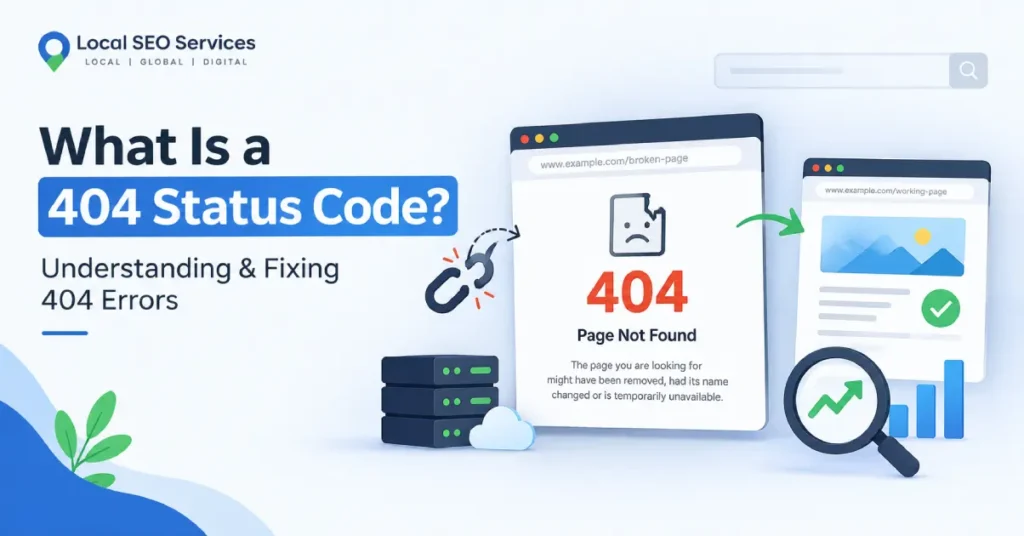
You click a link, wait a second, and instead of the page you wanted, you get a blank white screen or a cartoon robot telling you something went wrong. That’s a 404. It’s probably the most recognizable error on the internet, right up there with “buffering.”
But a 404 status code isn’t just an annoying pop-up. It’s a message your server sends to a browser, and once you understand what it’s actually saying, it stops being a mystery and starts being something you can fix in minutes. This guide breaks down what the error means, why it shows up, and how to clean it up before it costs you traffic or customers.
What Is a 404 Status Code?
A 404 status code is the response a web server sends when it can’t find the page a browser (or a search engine) asked for. The request reached the server just fine. The server just has nothing to hand back.
Think of it like mailing a letter to an address that used to exist but got knocked down. The postal service didn’t lose your letter, it just has nowhere to deliver it. That’s the “Not Found” part of the message. Officially, the error reads “404 Not Found,” and it’s part of a numbering system the web has used since the early ’90s to describe what happened when your browser talked to a server.
A 404 usually shows up for one of these reasons:
The page was deleted and nobody set up a redirect
The URL was typed wrong, even by a single character
The content moved to a new address
A link is outdated, pointing to something from years ago
The domain changed or a site was restructured without updating internal links
HTTP Status Code 404 Explained: Where It Fits in the Bigger Picture
Every time a browser talks to a server, the server replies with a three-digit code. Most people never see these codes because, when everything works, the page just loads. The http status code 404 belongs to the 4xx family, which covers client-side errors: something about the request itself couldn’t be fulfilled.
A quick comparison helps put it in context:
200 OK – the page loaded successfully
301 Moved Permanently – the page has a new home, and the browser is redirected there
404 Not Found – the page doesn’t exist at this address
500 Internal Server Error – something broke on the server’s end, not the browser’s
The distinction matters because a 404 tells you the problem is with the address, not the server itself. That’s good news, actually. It means the fix is usually on your end: update a link, restore a page, or set up a redirect.
What Does “Status Code 404” Mean for Your Website?
If you’re a site owner, seeing recurring 404s in Google Search Console or your analytics tool isn’t just a technical footnote. It has real consequences.
Visitors bounce. Someone clicks through from a search result or a link expecting one thing, and lands on a dead end instead. Most people won’t dig for the right page. They’ll hit the back button and try a competitor.
Search engines notice. When Googlebot repeatedly crawls a URL and gets a 404, it eventually drops that page from the index. If the page had backlinks or rankings, that value disappears with it.
Trust takes a small hit. A site riddled with broken links looks neglected, even if the rest of the content is solid. It’s a small thing, but it adds up, especially for businesses where credibility drives conversions.
The good news: status code 404 means the problem is fixable, not fatal. Search engines expect some 404s. Sites change, pages get retired, content evolves. What actually damages your SEO is leaving important 404s unaddressed for months.
“Request Failed with Status Code 404”: Common Causes and Fixes
This particular version of the error shows up a lot in developer consoles, API logs, and browser network tabs. If you’ve built or maintained a website, you’ve probably seen it staring back at you in red text.
Here’s what typically causes it, and what to do about each one.
The Endpoint URL is Wrong
A single typo in an API endpoint, a missing slash, or an outdated path will trigger this instantly. Fix: Double-check the exact URL against current documentation. APIs get versioned and restructured more often than people expect.
The Resource Was Deleted or Renamed
If you’re calling an API for a specific record, and that record no longer exists, you’ll get a 404 even though the API itself is working fine. Fix: Confirm the resource ID or slug still exists before troubleshooting anything else.
You’re Hitting the Wrong Environment
Developers sometimes point a request at a staging or test server that doesn’t have the same routes as production. Fix: Check your base URL and environment variables. This one’s an easy mistake to make and an easy one to miss.
A Route Was Never Set Up Correctly
On the server side, if a route wasn’t registered, or a framework’s routing configuration has an error, every request to that path will fail with a 404. Fix: Review your routing file or framework configuration and confirm the endpoint is actually defined.
Case Sensitivity or Trailing Slashes
Some servers treat /Products and /products as two different things. A trailing slash can matter too, depending on server configuration. Fix: Match the URL format exactly as documented, including capitalization.
How to Find and Fix 404 Errors on Your Website
You don’t need to click through every page on your site by hand. A few tools will surface every broken link for you.
Google Search Console – Under the “Pages” report, you’ll find a section for URLs Google tried to crawl and couldn’t. This is the most reliable source for what search engines are actually seeing.
Screaming Frog or a similar crawler – Crawls your entire site the way a search engine would and flags every 404 it hits, along with the page that linked to it.
Broken link checker plugins – If you’re on WordPress, plugins can scan your content library and highlight dead links automatically.
Your analytics platform – Set up tracking for 404 page views so you can see which broken URLs people are actually hitting, not just the ones bots find.
Once you’ve got a list, the fix depends on the situation:
If the content still exists somewhere else, set up a 301 redirect from the old URL to the new one.
If the content is genuinely gone, redirect to the closest relevant page, like a parent category, instead of leaving a dead end.
If it was a typo in a link somewhere on your own site, just correct the link directly rather than relying on a redirect.
If it’s an old page with backlinks pointing to it, prioritize fixing that one first. You don’t want to lose the SEO value those links built up.
Custom 404 Pages: Turning a Dead End Into a Second Chance
You can’t eliminate every 404 forever. Links break, the web shifts, people bookmark things that eventually move. What you can control is what happens next.
A well-designed 404 page can:
- Point visitors back to your homepage or main navigation
- Include a search bar so they can find what they were actually looking for
- Suggest a few popular pages or recent posts
- Keep your branding and tone consistent, instead of showing a bare, generic error
A thoughtful 404 page won’t fix the underlying technical issue, but it keeps a visitor from leaving the moment something goes wrong. That’s worth more than it sounds like on paper.
How 404 Errors Affect SEO (And When They Don’t)
Here’s where a lot of confusion creeps in: not all 404s are a problem.
If an old, low-value page with no traffic and no backlinks throws a 404, it’s not worth losing sleep over. Search engines handle this fine; pages disappear from the internet constantly, and Google’s crawlers are built around that reality.
What actually matters:
- 404s on pages with existing traffic or backlinks. These need redirects, ideally as soon as you notice them.
- 404s showing up in internal links. If your own site links to a page that no longer exists, that’s a self-inflicted wound worth fixing immediately.
- A high volume of 404s appearing suddenly. This often signals a bigger issue, like a botched migration or a plugin conflict, and deserves a closer look.
If broken links and crawl errors keep piling up faster than you can track them, that’s usually a sign it’s time for a proper technical audit rather than a page-by-page patch job. This kind of site health work is exactly what falls under technical SEO, and it tends to matter more than people expect until they see the traffic numbers tied to it.
Frequently Asked Questions
What is a 404 status code?
It’s the response a server sends when a requested page or resource can’t be found at the given URL. The server is reachable, but nothing exists at that specific address.
Is a 404 error bad for SEO?
Not automatically. A 404 on a page nobody links to or visits is normal. A 404 on a page with existing rankings, traffic, or backlinks is worth fixing with a redirect.
How do I fix “request failed with status code
404″?
Check the URL for typos, confirm the resource still exists, verify you’re pointing at the right environment, and make sure the route is properly configured on the server.
Should I redirect every 404 page?
No. Redirect the ones that had value (traffic, backlinks, or strong internal linking). For pages nobody ever visited, a clean custom 404 page is enough.
What’s the difference between a 404 and a 500 error?
A 404 means the page doesn’t exist at that address. A 500 means the server itself hit a problem while trying to process the request. One’s about the address, the other’s about the server’s health.
Final Thoughts
A 404 status code isn’t a crisis. It’s routine web maintenance, the digital equivalent of a squeaky hinge. Left alone for long enough, though, a pile of unfixed 404s quietly drains traffic, wastes crawl budget, and chips away at a site’s credibility.
The fix is almost always simpler than people assume: find the broken links, decide which ones actually matter, and redirect or repair accordingly. If you’d rather have someone comb through your site’s crawl errors, broken links, and technical health so you don’t have to, that’s exactly the kind of work our team handles. You can browse more guides like this on our SEO blog, or get in touch for a full site audit.