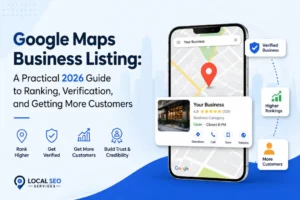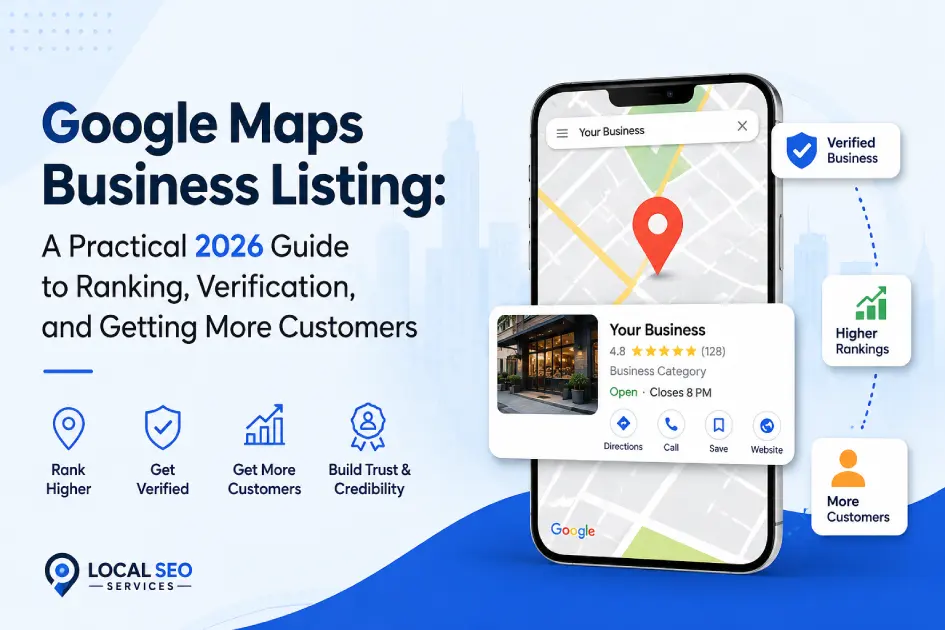
Most people call it a Google Maps business listing. Google calls it a Business Profile. Either name points to the same thing: the free listing that shows your business name, hours, reviews, photos, and address on Google Maps and Google Search. When a customer types your service and city into either one, this listing decides whether they see you or someone else.
In 2026, it decides a lot more than that. Google’s local search now leans heavily on ongoing activity, not one-time setup. Fresh photos, recent reviews, quick replies, current hours. Anyone who set up a Google Maps business listing back in 2022 and left it alone is watching it slide down the local pack. This guide walks through everything a small business or multi-location brand needs to create, verify, optimize, and defend a Google Business Profile this year, with the specific changes that shipped in late 2025 and the first half of 2026 built in.
A Google Maps business listing, officially called a Google Business Profile (formerly Google My Business), is a free listing that displays your business on Google Maps and Google Search. It shows your name, address or service area, phone, hours, website, photos, and reviews. Local customers use it to find, contact, and choose businesses. Ranking depends on relevance, distance, and prominence.
What Is a Google Maps Business Listing?
A Google Maps business listing is the public profile that appears when someone searches for your business, your category, or a service in a location. It is the same product as a Google Business Profile, which Google renamed from Google My Business in November 2021. Some people also call it a GBP, a GMB, a Maps listing, or a local listing. All the same thing.
The listing surfaces in four main places:
- The local pack on Google Search (the three-result map block that appears above blue links).
- The Google Maps app and Maps on the web.
- Google’s AI Overviews, when the query has local intent.
- Ask Maps, the Gemini-powered answer feature Google introduced after retiring the classic Q&A section.
A profile is available to almost any business with customers: storefronts, service-area businesses that go to the customer, hybrid businesses that do both, hotels, restaurants, healthcare practices, service providers, and multi-location brands. Restaurants and hotels get a few extra fields (menu, room booking, amenities). Everyone else uses the same core structure.
One important 2025 change to know: the legacy per-profile GBP interface was retired. All management now happens either directly inside Google Search when you look up your own business while signed in, or through business.google.com for multi-location accounts.
Why a Google Business Profile Matters in 2026
If your business relies on local customers, the profile is doing more work than your website in most industries. A few reasons that matter this year:
Local intent is a big share of search. Queries with “near me,” a city name, or a service tied to a location trigger local results. For those queries, the local pack sits above the organic list. A missing or weak profile means you are invisible for the first screen.
AI Overviews now include local citations. When Google generates an AI Overview for a local query, it often folds the local pack into the answer and cites the businesses it references. Profiles with detailed reviews, real product entries, and useful descriptions get pulled into those citations. Thin profiles do not.
Ask Maps replaced Q&A. In November 2025, Google discontinued the Q&A API on Business Profiles. The feature is being phased out on existing listings and is not available on new ones. In its place, Google rolled out Ask Maps, an AI answer feature that pulls from your profile fields, reviews, product entries, and web pages Google associates with your business. If your profile is empty, Ask Maps has nothing to work with, and it will guess.
Activity is now a ranking signal on its own. Interaction popularity (photo views, review reads, direction taps, calls, website clicks) counts toward local ranking more directly in 2026. A dormant profile fades even if the underlying business is doing fine offline.
How to Create a Google Maps Business Listing (Step by Step)
Here is the current process from scratch. If you had an older Google My Business account, it moved with you into Business Profile automatically. You do not need to create anything again.
- Sign in to the Google account you want to own the listing. Use a business Gmail or Workspace account, not a personal one you might lose access to. If ownership changes hands later, transferring is possible but slow.
- Go to google.com/business or search for your business name on Google. If Google already has an unclaimed listing for your business, you will see a “Claim this business” option in the knowledge panel. Claiming an existing listing is faster than creating a new one and avoids duplicates.
- Enter your business name exactly as it appears on your signage and legal documents. No promotional add-ons. “ABC Plumbing” is fine. “ABC Plumbing 24/7 Emergency Same-Day Service” is a suspension waiting to happen (more on that below).
- Choose the correct business type. Storefront (customers come to you), service-area business (you go to the customer), or hybrid (both). This choice affects how your address is displayed and what verification method Google offers you.
- Add your address or service area. Storefronts get one physical address that Google will verify. Service-area businesses can list up to 20 cities, zip codes, or regions but should keep the list realistic. Overreaching triggers suspensions in 2026.
- Pick your primary category and any secondary categories. This is the most important field on the whole profile. Choose the narrowest accurate primary category, then add up to nine secondary ones. Do not stuff every remotely related category. Google penalizes category spam.
- Add your phone number and website. Use the phone number you actually answer, not a call-tracking number that changes weekly. Google reads NAP consistency across the web.
- Complete verification. Verification is now the gate, not a formality. See the next section.
Verification in 2026: Why It Feels Harder Now
Video verification is the default for new listings in most regions. Postcard verification still exists but is offered less often, mostly to established addresses that already have strong signals. Video is what most owners will face.
To pass video verification on the first try, record a single continuous take that shows:
- Exterior signage that matches the business name and address you submitted.
- The street or immediate surroundings (so Google can match it to Street View).
- Interior, if you have one, with anything that clearly shows the business is operating.
- A “live management action” that proves you have access. For a storefront, that might mean unlocking a door, ringing up a test transaction, or logging into a point-of-sale system. For a service-area business, that might mean opening a work vehicle, accessing branded supplies or documents, or turning on branded equipment.
Do not stop and start the video. Do not narrate. Do not use stock footage. Google’s team reviews the clip and rejects anything that looks staged or edited.
If you fail video verification, do not create a second listing. Fix what the reviewer flagged and resubmit. Creating duplicates deepens the problem and slows reinstatement.
How to Optimize Your Google Business Profile
Once verified, the profile is where the real work starts. The optimization decisions below are ordered by how much they move ranking.
Primary Category (The Biggest Lever)
The primary category outranks almost every other on-profile edit as a ranking factor. Switching a law firm from “Law Firm” to “Personal Injury Attorney” can change Maps visibility more than any other single change. Do not pick the broad category if a narrower accurate one exists. Broad categories look safe but bury you under generalists.
Add secondary categories, but only ones you actually serve. A dentist can add “Cosmetic Dentist” and “Pediatric Dentist” if those are real services. A dentist should not add “Orthodontist” if they refer orthodontic cases out.
Business Description
You get 750 characters. Explain what you do, who you serve, and where you serve them, in plain language. No phone numbers, no URLs, no promo language (“best in the city,” “world-class”). Google rejects overtly promotional text and can suspend for repeat offenses. Write it once and update it when your services change.
Address, Service Area, and Hours
Your address on the profile has to match your address on your website, your Google Ads location, and every major citation source. Any inconsistency in punctuation, suite number format, or abbreviation slightly reduces Google’s confidence in the entity. Fix them.
Update hours before any holiday. Google now shows a small “hours may vary” warning on listings that have not confirmed holiday hours, and that warning hurts click-through.
Photos
Photos are now under more pressure than they used to be. A few things changed in 2026:
- Google prefers real, recent, geo-tagged photos. AI-generated interior or team photos are against policy for the main gallery. Product Studio backgrounds are allowed for specific product workflows, but not for pretending your storefront looks nicer than it does.
- Profiles that go 30 or more days without a new photo see visibility dip in most industries. Google does not publish an official “30-day rule,” but the pattern is well-documented across BrightLocal, Whitespark, and Sterling Sky data.
- 360 photos, short videos, and “work in progress” shots for service businesses all get more surface area in the new Maps interface.
Cover the basics: exterior (including your storefront number), interior, products or services in use, team photos with permission, work in progress. Aim for one or two new uploads a week.
Services and Products
This is the most under-used section on the entire profile, and one of the highest-leverage in 2026. Every product entry is a small landing page inside your listing. Ask Maps pulls product entries when someone asks “does anyone nearby offer X.” Even service businesses should populate it. A lawyer can list “Flat-Fee Will Preparation” as a product with a description and starting price. A salon can list every service item. A plumber can list emergency call-outs, water heater installs, and drain cleaning as products with descriptions.
Write product descriptions with real specifics: materials, service scope, timing, guarantees. Vague descriptions are hard for an AI summary to ground on, and they get skipped.
Attributes
Attributes are the little filters that let customers narrow results: wheelchair accessible, women-owned, LGBTQ+ friendly, free WiFi, curbside pickup, outdoor seating, kid-friendly. Google uses them directly when someone applies filters in Maps. Set every attribute that honestly applies. Do not set any that do not.
Posts, Offers, and Events
Posts do not directly move rank, but they lift click-through in the local panel and feed into Ask Maps summaries. Two new features arrived in 2026 worth using:
- Post scheduling. You can now schedule posts weeks in advance from the dashboard.
- Multi-location publishing. For chains and franchises, a single post can push to every location, with per-location overrides where needed.
Keep at least one post live at all times. Offer posts and event posts get slightly more visibility than plain What’s New posts.
Messaging and WhatsApp
Google Business Chat was retired. In its place, businesses can now add a WhatsApp contact button. If you use WhatsApp Business, connect it. It is the fastest way to give customers a real conversation button on your profile without running Business Messages separately.
How Google Ranks Local Businesses
Google’s three local ranking factors have been the same for years: relevance, distance, and prominence. What has changed is how each is measured.
Relevance used to be about matching profile fields to the query. In 2026, it also includes user interaction patterns (which listings people actually click and call from for a given query) and content freshness (recent photos, recent reviews, active posts).
Distance is straightforward for storefronts (how close you are to the searcher). For service-area businesses, it now includes how accurately your declared service area matches where you actually work. Claiming a service area you cannot reasonably serve does not help ranking and can flag your profile for review.
Prominence was the fuzziest factor. It has always covered brand recognition offline and links pointing to your business online. In 2026, it also weighs review recency (velocity beats one-time count), engagement metrics on the profile, and profile completeness with real content in every field.
One recent shift worth naming: Google’s local algorithm now cares less about pure brand prominence and more about interaction popularity. A profile that gets steady taps, calls, and reviews will beat a much bigger brand that has gone quiet locally. That is good news for small businesses that stay active and bad news for anyone who thought a strong parent brand alone was enough.
Reviews: The 2026 Rules
Google updated the Business Profile review policy in April 2026, and enforcement is aggressive. A few rules to know:
- You cannot ask customers to mention a staff member by name. Prompts like “please mention Sarah in your review” are now explicitly banned. Google detects the pattern and removes matching reviews.
- No review kiosks or company iPads. Every review must come from the customer’s own personal device, on their own Google account. Handing a customer your tablet is a policy violation.
- No incentives. Discounts, free items, or entries into a giveaway in exchange for a review remain against the rules and now get caught quickly.
- AI-generated reviews are prohibited. Google’s Trust and Safety report noted 292 million policy-violating reviews blocked or removed in 2025. Gemini-based enforcement now catches many of these before they publish.
On the response side:
- Reply to every review within 24 to 48 hours if you can. Slow or generic replies are increasingly a red flag for consumers, according to BrightLocal’s 2026 consumer survey.
- Google is testing AI-suggested replies inside the dashboard. They save time. They also read as templated if you use them without editing. Adjust them before sending.
- Address the specific issue the customer raised. Do not offer refunds in the public reply. Move the resolution to a private channel.
- Never argue in public. If a review is genuinely fake or violates policy, flag it and let Google review.
Also worth noting: Google is now suspending or filtering profiles that show a sudden burst of reviews after a long silence. Steady velocity over 90 days ranks better than a spike followed by silence, and it is less likely to trigger a manual review.
Photos, Posts, and Products (The Freshness Trio)
Because freshness signals matter more than they used to, most of the day-to-day work on a Google Maps business listing lands in three places: photos, posts, and products.
A simple cadence that works:
- Photos: one or two uploads a week. Cover different angles and moments. Do not repost the same interior every month.
- Posts: one a week. Rotate between What’s New, Event, Offer, and Product formats. Use the scheduling feature to batch a month at a time.
- Products/Services: audit quarterly. Add new offerings, retire old ones, refresh descriptions with details Ask Maps can quote.
That is roughly an hour a week for a single-location business. It is not glamorous, but it beats every other tactic for the money.
Common Mistakes That Get Profiles Suspended
Suspensions in 2026 are up sharply. Most are avoidable. The common triggers we see:
- Keyword stuffing in the business name. “ABC Plumbing 24/7 Emergency Ludhiana” is now an instant suspension. Use your real business name, exactly as it appears on your signage.
- Service-area mismatches. Claiming service in 40 cities you cannot realistically reach.
- Category-storefront mismatch. Listing yourself as a “Restaurant” from an address that clearly is not a restaurant on Street View.
- Multiple listings at the same address. Two dentists sharing a suite each need distinct verified profiles, distinct phone numbers, and a clean explanation for why both exist.
- Ignored community edits. Google allows other users to suggest edits to your hours, category, or map pin. If you do not check the dashboard weekly, someone can degrade your listing without your knowledge. Set up email notifications for profile changes.
- A moved map pin. There is a known scam where competitors move the map pin on a listing through the “Suggest an edit” flow. If your pin looks off, log in with an email that is not tied to any GBP and correct it. This has worked to reverse malicious edits.
- Auto-generated services you never offered. Google occasionally adds services or products based on inference. Audit and remove anything you do not offer.
If your profile does get suspended, do not create a duplicate. File a reinstatement through the official Business Profile help form and include:
- A utility bill or lease matching the address on the profile.
- Dated exterior photos showing signage.
- A brief written explanation of any recent changes (name, address, ownership).
Most legitimate hard suspensions resolve in one to three weeks.
Best Practices Checklist
Use this as a monthly checkup for any Google Maps business listing:
- Business name matches signage and legal documents. No promotional add-ons.
- Primary category is the narrowest accurate option.
- All applicable secondary categories are set.
- Address and phone number match your website and top citations byte-for-byte.
- Hours are current, holiday hours confirmed at least two weeks ahead.
- At least one photo added in the last 14 days.
- At least one post live at all times.
- Every product or service is listed with a specific description.
- Every review from the last 30 days has a reply.
- Attributes are set for every filter that honestly applies.
- Dashboard checked weekly for community-suggested edits.
- Insights reviewed monthly for search terms and interaction trends.
Expert Tips for 2026
Q&A is gone. Move that content to your website. The Q&A section was discontinued in November 2025. Ask Maps replaced it and pulls from your profile fields, your reviews, and web pages Google associates with your business. Publish your FAQs on a dedicated FAQ page with question-headed sections and FAQ schema markup. That is where Ask Maps will look next.
Populate Products even if you sell services. Ask Maps pulls product entries when someone asks “does anyone nearby offer X.” Service businesses that never fill this out lose those queries entirely. Even a boutique law firm should list its service lines here.
Connect a booking integration. Google integrates with Acuity, Booksy, Calendly, Square Appointments, and a growing list. Direct bookings from the profile are one of the strongest engagement signals in 2026. They also convert better because they cut out the extra step to your site.
Turn on notifications for profile changes. Community edits and Google-inferred changes can degrade your listing quietly. Notifications are the difference between catching a bad edit the same day and finding out three weeks later when your calls dropped.
Do not chase review count. Chase review velocity. Ten new reviews spread evenly across 90 days moves ranking more than 50 in one week followed by silence. It also looks less suspicious to the review filter.
Write your own posts and replies, even when Google offers to draft them. AI-suggested replies inside the dashboard are useful for a first pass. Ship them as-is and the pattern is obvious to customers reading them. Ten seconds of editing keeps the tone yours.
Watch AI Overviews as their own channel. Local queries that used to just show a map pack now often show an AI Overview above it. Profiles with substantive product entries, detailed reviews, and clearly linked service pages on the website get cited inside those Overviews. Thin profiles are skipped.
Frequently Asked Questions
Is a Google Maps business listing the same as Google Business Profile?
Yes. They refer to the same product. Google renamed Google My Business to Google Business Profile in November 2021, but most business owners and customers still call the resulting listing a Google Maps business listing, a GMB, or a Maps listing. When you optimize your Google Business Profile, you are directly optimizing what shows up on Google Maps and in the local pack on Google Search. The name changed, the product did not.
Is a Google Maps business listing free?
Yes. Creating, verifying, and managing a Google Business Profile is free, and it always has been. Google makes its money from ads shown around local results and from paid promotional posts, not from the profile itself. If a caller or email claims you need to pay Google to verify or “activate” your listing, it is a scam. Google occasionally sends legitimate reminders, but never asks for money to keep a Business Profile live.
How long does verification take in 2026?
Video verification typically returns a decision in three to five business days if the video is clear and matches your submitted address. Postcard verification (still used in some cases) takes about two weeks. Failed verifications that get resubmitted with better evidence usually resolve in another one to two weeks. If a verification decision takes longer than three weeks with no update, contact Business Profile support through the help form and include your case number.
Can I have more than one Google Business Profile at the same address?
Only if there is a genuine reason. Two distinct businesses that share office space (a dentist and an orthodontist, or a hair salon and a nail salon operating as separate legal entities) can each have their own verified profile, each with a distinct phone number and business name. Two profiles for the same business, or two profiles for related brands trying to double their visibility, get flagged as duplicates and suspended. Do not do it.
What is the best primary category to choose?
The narrowest primary category that accurately describes what you do. “Personal Injury Attorney” beats “Law Firm” for a personal injury practice. “Cosmetic Dentist” beats “Dentist” if that is your focus. Broader categories feel safer because they seem to cover more searches, but they put you in a much larger pool and rarely rank for the specific queries you actually want. Test with Google’s category browser and pick the closest match.
How often should I post on my Google Business Profile?
Once a week is enough for most single-location businesses. That gives you 52 posts a year, which is more than most competitors publish. Use the scheduling tool in the dashboard to batch a month at a time. Rotate between What’s New, Event, Offer, and Product formats. Posting daily does not hurt, but it also does not help proportionally. What matters is that at least one post is live at any given time.
Does responding to reviews help ranking?
Directly, a small amount. Indirectly, quite a bit. Google says helpful replies can help your business stand out. Response rate and response speed are also signals of an active, well-managed profile, which Google treats as part of prominence. Beyond ranking, replies matter to customers reading them. BrightLocal’s 2026 consumer research found that slow or generic replies are increasingly viewed as a red flag. Aim to reply within 24 to 48 hours.
Can I ask customers to mention a staff member in their review?
No. As of April 2026, this is explicitly against Google’s review policy. Asking a customer to mention a specific employee by name in their review is considered manipulation, and Google’s Gemini-based enforcement removes matching reviews. You can encourage customers to leave a review about their experience, but the wording has to be neutral. “We would love your feedback on your visit” is fine. “Please mention Sarah so she gets credit” is not.
Why did my Google Business Profile get suspended?
Common triggers in 2026 include a business name that includes promotional keywords, a service area larger than what you can realistically serve, a category-storefront mismatch (Google’s algorithm compares your submitted category to what it sees at your address), duplicate listings, and community-suggested edits you did not catch and correct. Occasionally, suspensions are triggered by a competitor filing a false report. File a reinstatement request with proof of operation and address, and avoid creating a duplicate profile during review.
Can I use AI to write my Google Business Profile description?
For drafting, yes. Google updated its content policy in early 2026 to permit AI-assisted drafting of posts, descriptions, and review responses. What is prohibited: AI-generated reviews, AI-generated Q&A answers posted as if from a real customer, and AI content that misrepresents the business (invented services, fabricated awards, generated staff photos in your main gallery). Edit anything an AI drafts to make sure the specifics are accurate and the tone matches yours.
What replaced the Google Q&A feature?
Google discontinued the Q&A section on November 3, 2025. Existing Q&A content is still visible on some profiles for now but is being phased out. New profiles no longer include the feature. The replacement is Ask Maps, a Gemini-powered answer function that pulls from your profile fields, your reviews, and web pages Google associates with your business. To influence what Ask Maps says about you, put your FAQ content on a dedicated FAQ page on your website with clear question-headed sections and structured data.
Do photos actually change my ranking?
Directly, no. Indirectly, quite a bit. Photos drive interaction (photo views, direction requests, calls), and interaction is now a stronger ranking signal in 2026 than it used to be. Profiles that go 30 or more days without a new photo see engagement fall, which pulls ranking down over time. Real, recent, geo-tagged photos work best. AI-generated hero images for your main gallery are against policy and can trigger review.
Can I run a Google Maps business listing for a home-based business?
Yes, but hide the address. When you set up the profile, select the service-area business option and choose “I deliver goods and services to my customers.” Then hide your address. Customers will see your service area (cities, zip codes, or regions) instead of a pin on your house. Google understands this arrangement and does not penalize it. Freelancers, plumbers, mobile groomers, and consultants all use this setup.
What if my business moves to a new address?
Update the address on your Google Business Profile before the move, ideally two to three weeks in advance. Then update your website, your top citations, and any directory listings to match. Google may ask you to reverify at the new address, usually through video. Do not create a new listing. Editing an existing verified profile preserves your reviews and history. Creating a new one splits your signals and starts you at zero.
Conclusion
A Google Maps business listing is one of the highest-leverage free assets a local business has. The mechanics are not complicated. Set it up correctly, verify it cleanly, fill in every field with real content, and treat it as a channel that needs weekly attention rather than a directory entry you check on every few months.
The businesses that win in 2026 are not the ones with the fanciest websites. They are the ones with active, current profiles that Google trusts and Ask Maps can quote from. That is genuinely small-business-friendly, even if it means a bit more ongoing work.
Key Takeaways
- A Google Maps business listing is the same product as a Google Business Profile, formerly Google My Business.
- Primary category is the single largest ranking lever. Pick the narrowest accurate one.
- Video verification is the default for new listings in most regions. Record one continuous take with signage, interior, and a live management action.
- Q&A is gone. Ask Maps replaced it. Put your FAQ content on a dedicated FAQ page on your site.
- Reviews now follow a stricter policy as of April 2026. No staff-name solicitation, no review kiosks, no incentives.
- Freshness signals matter more than they used to. Photos weekly, one post live at all times, product catalog refreshed quarterly.
- Suspensions are up. Most are avoidable: no keyword stuffing in the name, no service-area overreach, no duplicates.
- Interaction popularity (calls, direction taps, review reads) is a stronger ranking signal in 2026 than pure brand prominence.
- Multi-location businesses should use post scheduling and multi-location publishing to save time.
- Ask Maps and AI Overviews pull from profile fields, reviews, and product entries. Empty fields are silent votes against you.
Final Thoughts
Google Business Profile is easy to underestimate because it does not look like a growth channel. It looks like admin. Set the hours, upload a photo, done. The teams that treat it that way lose ground quietly to teams that spend forty minutes a week on it. There is no clever hack here. The work is small and repetitive, and it compounds. The businesses that get this right end up on the map, in Ask Maps answers, and in AI Overviews for their category. The businesses that do not, do not.