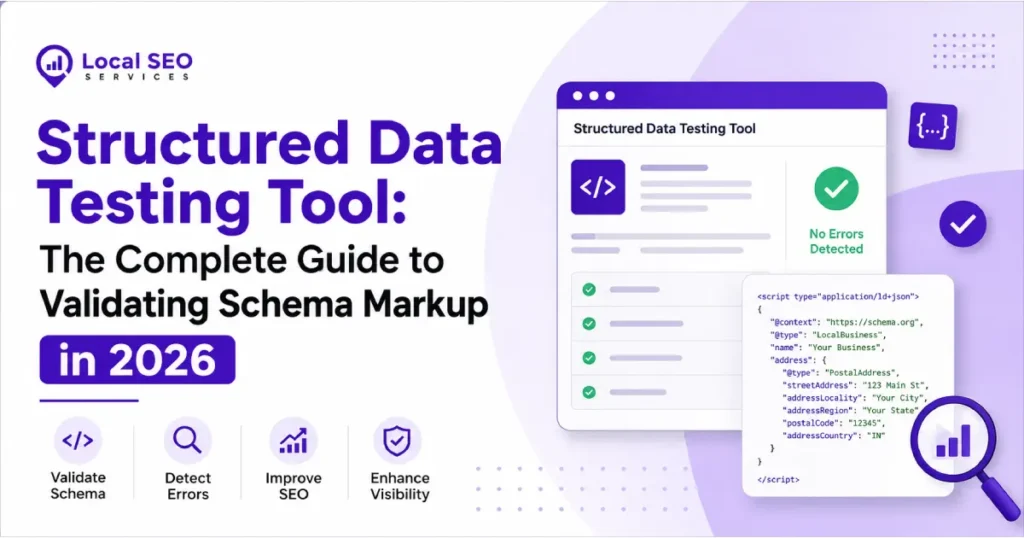
If you’ve added schema markup to your site and you’re not sure whether Google can actually read it, a structured data testing tool is the way to find out. These tools scan your JSON-LD, Microdata, or RDFa code, tell you what’s broken, and in some cases show you whether your page qualifies for rich results like star ratings, FAQ dropdowns, or product pricing in search.
I’ve spent years debugging schema for e-commerce sites, publishers, and local businesses, and the same problem keeps recurring: people implement structured data, never test it, and then wonder why the rich snippets don’t appear. This guide covers every legitimate structured data testing tool available right now, how to actually use them, and the mistakes that quietly kill rich result eligibility.
Quick Answer
A structured data testing tool checks whether the Schema.org markup on a webpage is written correctly and whether it qualifies for search engine rich results. Google’s own Rich Results Test checks eligibility for Google-specific features (stars, FAQs, product prices), while the Schema Markup Validator checks raw syntax against the full Schema.org vocabulary, regardless of whether Google uses it. Most SEO workflows need both.
What a Structured Data Testing Tool! Actually Does
Structured data (also called schema markup) is code — usually JSON-LD — embedded in a page’s HTML that tells search engines what the content actually means, not just what it says. A recipe page can say “30 minutes” in plain text, but schema markup labels that number as “prepTime” so a machine knows exactly what it refers to.
A structured data testing tool reads that code and checks three things:
- Syntax—is the JSON-LD valid, with no missing commas, broken brackets, or malformed values?
- Required properties — does the markup include everything a given schema type needs? A product schema without a price isn’t going anywhere.
- Rich result eligibility: Does this specific implementation qualify for an enhanced search listing, or does it just validate as “technically correct Schema.org code” without doing anything for you in search?
That third point trips people up constantly. You can have a perfectly valid schema that Google simply doesn’t use for rich results. Valid isn’t the same as useful.
The Tools That Matter in 2026
Google Rich Results Test
This is the one most SEOs open first, and for good reason — it’s the only tool that tells you whether Google will actually show a rich result for your page. You paste in a URL or raw code, and it tells you which of roughly 30 supported types (article, product, recipe, FAQ, event, local business, and others) are detected, plus any errors or warnings blocking eligibility.
What it’s good for: confirming Google-specific eligibility, previewing how a result might look, catching missing required fields for supported types.
What it won’t do: validate schema types. Google doesn’t use it for search features. If you’re marking up an action schema or something niche, this tool won’t check it at all.
Schema Markup Validator (validator.schema.org)
This is the direct descendant of Google’s old Structured Data Testing Tool, which Google retired in 2020 after pushback from the SEO community. <cite index=”4-1″>The original tool offered broader validation of structured data against the schema.org standard, while the Rich Results Test focuses specifically on Google’s rich result features. </cite> Google eventually handed the older, broader validator over to Schema.org itself, and it now runs independently of any single search engine.
What it’s good for: checking any Schema.org type against the spec, not just the ones Google cares about. If you’re marking up content for Bing or using a schema type with no Google rich-result equivalent, this is your tool.
What it won’t do: tell you if a rich result will actually appear in Google Search. It checks syntax and spec compliance, full stop.
Google Search Console Enhancements Reports
Once your schema is live and indexed, Search Console’s Enhancements section shows real crawl data: how many pages have valid, invalid, or warning-level markup for each type Google tracks. This is the only method that reflects what Googlebot has actually seen, rather than what you’re testing manually.
One catch worth knowing: this data lags. Fixes you push today typically won’t show as resolved for one to four weeks, since it depends on Google recrawling and reprocessing the page.
Browser Extensions and Third-Party Validators
Tools like Merkle’s Structured Data Markup Helper (for generating markup, not just testing); various Chrome extensions that surface JSON-LD without opening dev tools; and third-party validators built into platforms like Nuxt SEO or Screaming Frog all serve a role—mostly around speed and bulk testing rather than authoritative validation.
Screaming Frog in particular is worth calling out: it has a dedicated Structured Data tab that extracts and validates schema across an entire crawled site at once, which the official Google tools can’t do since they’re built for single-URL testing.
Rich Results Test vs. Schema Markup Validator vs. Search Console
| 🛠 Tool | ✅ Checks Google Eligibility? | 📋 Checks Full Schema.org Spec? | 🚀 Works at Scale? | 🔍 Reflects Live Indexing? |
|---|---|---|---|---|
| Rich Results Test | ✔ Yes | ✖ No (Google types only) |
✖ No One URL at a time |
✖ No Tests current code |
| Schema Markup Validator | ✖ No | ✔ Yes | ✖ No One URL/snippet at a time |
✖ No |
| Search Console Enhancements | ✔ Yes | ✖ No | ✔ Yes Whole site |
✔ Yes With a lag |
| Screaming Frog | ◐ Partial | ◐ Partial | ✔ Yes | ✖ No |
The honest takeaway from that table: no single tool covers everything. Relying on just one is <cite index=”5-1″>a common mistake — running all of them in the right sequence is how errors get caught before they ever hurt search performance. </cite>
Step-by-Step: How to Test Your Structured Data
- Write your JSON-LD and paste it into the Schema Markup Validator first. Confirm zero syntax errors before worrying about Google-specific features.
- Fix every red error. Don’t proceed with errors present; they mean a required property is missing or a value is the wrong type, and that alone blocks rich results.
- Review amber warnings. These are optional-but-recommended fields (like an image on a product). Not blocking, but worth fixing for a fuller, richer result.
- Push the markup to staging or a live test URL, then run it through the Rich Results Test. This confirms that Google specifically recognizes the type and will consider it for search features.
- For high-value page types Product, LocalBusiness, and Event, run it back through the Schema.org validator to confirm full spec compliance, not just Google compatibility.
- Wait for indexing, then check Search Console → Enhancements. This is your real-world confirmation. Manual testing tells you what should happen; Search Console tells you what did.
- For sites with hundreds or thousands of pages, run a Screaming Frog crawl with the Structured Data tab enabled instead of testing URLs one by one.
Common Mistakes That Break Rich Results
- Assuming “no errors” means “rich result guaranteed.” Google reserves the right not to show a rich result even with perfect markup; it’s eligibility, not a promise.
- Relative image URLs. Properties like image, url, and sameAs need absolute URLs. /photo.jpg will fail; https://example.com/photo.jpg won’t.
- Testing only the staging environment. A schema that validates on staging can break in production if a CMS strips scripts or a caching layer alters the HTML before it ships.
- JavaScript-injected schema that never renders for crawlers. If your JSON-LD is added client-side and your rendering setup doesn’t handle it properly, Googlebot may see nothing at all.
- Ignoring warnings indefinitely. A warning today (missing aggregateRating, say) is often the difference between a plain listing and a rich one with stars.
- Multiple conflicting schema blocks on one page. Two Article schemas, or an Organization schema nested incorrectly inside a Product schema, can confuse parsers even when each block is individually valid.
- Copy-pasting boilerplate schema without updating the values. This sounds obvious, but placeholder text (“Your Company Name Here”) makes it into production schema more often than you’d think.
Best Practices
- Test before you deploy, not after. Catching a syntax error in a validator costs two minutes. Catching it three weeks later in Search Console costs a recrawl cycle.
- Build validation into your CI/CD pipeline if you’re managing schema at scale. Automated JSON-LD linting catches regressions before a bad template change reaches production.
- Keep a reference doc of required vs. recommended properties per schema type you use. Google’s own documentation is the source of truth here. Bookmark the specific type of pages you rely on most (Product, Article, FAQPage, etc.).
- Re-test after any CMS, theme, or plugin update. Schema often lives in templates, and template changes are a common, invisible way markup silently breaks.
- Separate “does this pass validation” from “does this earn a rich result.” They’re different questions with different tools.
Expert Tips
- Check your schema the way Googlebot sees it, not the way your browser renders it. View the rendered DOM via Search Console’s URL Inspection → “View Tested Page” rather than trusting what appears in dev tools alone.
- FAQ and HowTo rich results have gotten stricter over time. Google has tightened which pages qualify; generic marketing pages stuffed with FAQ schema rarely get surfaced the way they used to. Match the schema to genuinely useful, unique Q&A content.
- Don’t chase every schema type that exists. Marking up a type of content that doesn’t genuinely support it (fake reviews or invented ratings) violates Google’s structured data guidelines and can lead to a manual action, not just a missed rich result.
- If a rich result disappears after previously working, check Search Console before touching the code. Sometimes it’s a Google-side policy or feature rollout change, not something you broke.
Frequently Asked Questions
What is a structured data testing tool?
It’s software that checks whether the Schema.org markup on a webpage is written correctly and, depending on the tool, whether that markup qualifies the page for Google Rich Results. The two main categories are Google-specific eligibility checkers (Rich Results Test) and broad spec validators (Schema Markup Validator).
Is the Google Structured Data Testing Tool still available?
The original tool was retired by Google in 2020. <cite index=”2-1″>Google now recommends starting with the Rich Results Test to see which rich results your page qualifies for and using the Schema Markup Validator for generic, Google-agnostic schema checking. </cite> The old SDTT URL now redirects, but its functionality lives on, split across those two tools.
What’s the difference between the Rich Results Test and the Schema Markup Validator?
The Rich Results Test only checks the roughly 30 schema types that affect Google’s search result appearance and tells you if your page is eligible for those features. The Schema Markup Validator checks any Schema.org type against the full specification, regardless of whether Google does anything with it. If you need Google eligibility, use the Rich Results Test. If you need full spec compliance, use the Validator.
Why does my schema pass validation, but no rich result appears in search?
Passing validation only confirms the markup is syntactically correct and technically eligible. Google still decides algorithmically whether to actually display a rich result, and that decision depends on factors like overall page quality, competition in that search result, and whether the feature is even active for your query or region at that moment.
Can I test structured data without a live URL?
Yes. Both the Rich Results Test and the Schema Markup Validator let you paste raw JSON-LD, Microdata, or RDFa code directly rather than requiring a public URL. This is useful for testing markup before deployment.
How do I test structured data on a whole website instead of one page at a time?
Neither official Google tool supports bulk testing. Use a crawler like Screaming Frog, which has a dedicated Structured Data tab, or write a script that fetches multiple URLs and extracts the JSON-LD blocks for programmatic validation.
Why does Search Console show errors on pages I already fixed?
Search Console’s Enhancements report reflects the last time Googlebot crawled and processed the page, not its current live state. Fixes typically take one to four weeks to be reflected. Use URL Inspection → “Test Live URL” to check the current state immediately.
Do I need structured data for SEO, or just for rich results?
Structured data doesn’t directly boost rankings, but it helps search engines parse your content accurately, which affects how you appear in search, and it’s a prerequisite for most rich result types. Skipping it doesn’t hurt your ranking, but it does leave visibility on the table.
What’s the difference between a red error and an amber warning?
Red errors mean a required property is missing or invalid, which blocks rich result eligibility outright. Amber warnings flag optional-but-recommended properties; skipping them won’t block eligibility, but including them (like an image on a product schema) tends to improve how the rich result actually displays.
Which schema types are most commonly tested?
Article, Product, LocalBusiness, Event, Recipe, FAQPage, HowTo, Review, BreadcrumbList, Organization, and VideoObject cover the bulk of real-world use. E-commerce sites lean on Product and Review; publishers lean on Article and FAQPage; local businesses lean on LocalBusiness and Event.
Can badly structured data get my site penalized?
Not typically for honest mistakes — Google generally just ignores broken or ineligible markup. Manual actions come into play when the schema is deliberately misleading: fake review counts, ratings that don’t exist on the page, or content that doesn’t match what’s marked up.
Should I use JSON-LD, Microdata, or RDFa?
Google recommends JSON-LD, and it’s what the vast majority of modern implementations use. It’s easier to maintain since it lives in a separate script block rather than being woven into your HTML attributes, and it’s less prone to breaking when a template changes.
How often should I re-test structured data?
After every CMS update, theme change, or major template edit, at a minimum. For high-value pages (products, key articles), a recurring monthly check via Screaming Frog or an automated script catches drift before it costs you visibility.
Do AI search tools like Google’s AI Overview use structured data?
Structured data helps any system — traditional search or AI-powered — parse a page’s content and context accurately. While AI Overviews and generative search features don’t rely on schema in the exact same way rich results do, clean, well-structured markup makes your content easier for these systems to summarize and cite correctly.
What’s the fastest way to spot-check a competitor’s structured data?
Paste their URL into the Rich Results Test or Schema Markup Validators; both work on any public page, not just your own. It’s a fast way to see what schema types a competitor is using and whether they’re doing anything you’re missing.
Conclusion
Structured data testing isn’t a one-and-done task. It’s a habit. The tools themselves are free and take seconds to run, but skipping that step is exactly why so many sites implement schema that never actually earns them anything in search. Test before you deploy, confirm with Search Console after you’re indexed, and don’t assume clean validation means a rich result is guaranteed.
Key Takeaways
- A structured data testing tool checks either syntax (Schema Markup Validator) or Google rich result eligibility (Rich Results Test). Usually, you need both.
- Google retired its original Structured Data Testing Tool in 2020; that functionality is now split between two separate tools.
- Passing validation doesn’t guarantee a rich result — Google still decides whether to display one.
- Search Console Enhancements data lags real-time by one to four weeks.
- For site-wide testing, use a crawler like Screaming Frog rather than testing URLs one at a time.
Final Thoughts
The tools change every few years — Google has already retired one flagship validator and folded its functionality elsewhere. What doesn’t change is the workflow: validate syntax, confirm eligibility, check real indexing data, repeat after every template change. Get that rhythm right, and rich results stop being a mystery.