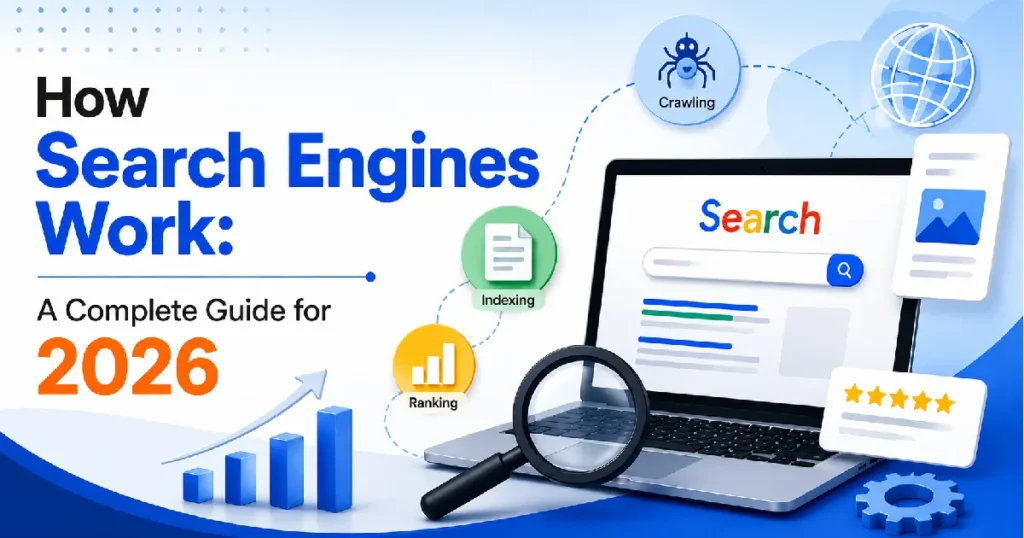
Search engines work in three stages: crawling, indexing, and ranking. First, automated bots called crawlers discover web pages by following links across the internet. Those pages get stored and organized in a massive index. When someone searches, an algorithm pulls the most relevant results from that index and ranks them based on hundreds of signals—relevance, authority, page quality, and user experience among them.
What Is a Search Engine?
A search engine is software that finds and retrieves information from the internet in response to a query. Type something into Google, and within a fraction of a second, you get a ranked list of results pulled from billions of pages.
That looks instant. It isn’t. The search itself takes milliseconds because all the real work happens beforehand: finding pages, reading them, and deciding how valuable they are long before you type anything.
The major search engines — Google, Bing, Yahoo, Yandex, Baidu, and DuckDuckGo — all follow the same basic architecture. Google dominates globally with around 90% of search traffic, so most of what we know about how search engines work comes from Google’s own documentation, patents, and experiments by the SEO research community.
Stage 1: Crawling
What Crawling Is
Crawling is how search engines find pages. They use automated programs — called crawlers, spiders, or bots — that follow links across the web. Google’s main one is Googlebot.
It works like this: a crawler starts with a list of known URLs, visits each page, reads the content, and collects every link it finds. Those links get added to the queue. Then it visits those, finds more links, and the cycle never really stops.
How Often Does Crawling Happen?
Not all pages get crawled at the same rate. Google’s crawl budget — the number of pages it will crawl on your site within a given timeframe — depends on:
- Crawl demand: How often your content changes and how popular your pages are
- Crawl capacity: How fast your server responds and how efficiently it handles bot requests
A news site that publishes 200 articles a day gets crawled constantly. A small local business website that hasn’t changed in six months might get visited every few weeks.
What Tells a Crawler Where to Go
- Sitemaps: XML files you submit to Google Search Console that list the URLs you want crawled
- Internal links: Links between pages on your own site
- External links: Links from other websites pointing to yours
- Previously crawled URLs: Pages Google already knows about and revisits periodically
What Stops a Crawler
You can tell crawlers not to visit certain pages using:
- robots.txt: A file at your domain root that instructs bots which sections of your site to avoid
- Noindex tags: HTML directives that say “crawl this, but don’t add it to the index”
- Password protection: Crawlers can’t log in
If Google can’t crawl a page, it can’t index it. If it can’t index it, that page won’t appear in search results — regardless of how good the content is.
Stage 2: Indexing
What Indexing Is
After crawling a page, the search engine processes and stores it. Indexing is the step where Google reads the content, figures out what the page is about, and files it in a massive database — the index — organized for fast retrieval.
Google’s index contains hundreds of billions of web pages. It’s essentially the world’s largest library catalog, except instead of being organized by subject and author, it’s organized by the words, concepts, entities, and signals associated with each document.
What Happens During Indexing
When a page gets indexed:
- Google parses the HTML, reading headings, body text, image alt text, links, and structured data
- It extracts keywords, topics, and entities (people, places, organizations, concepts)
- It evaluates page quality signals, load speed, mobile usability, and duplicate content
- It determines what language the page is in and what geographic market it’s relevant to
- It stores all of this, along with the URL and a cached version of the page
Why Some Pages Don’t Get Indexed
Getting crawled doesn’t guarantee getting indexed. Google might skip indexing a page because of the following:
- The content is too thin or of low quality
- It’s nearly identical to another page (duplicate content)
- It has a noindex directive
- The page blocks JavaScript rendering, and the content is only visible via JavaScript
- The server returned an error during the crawl
You can check whether your pages are indexed using the site: search operator in Google (site:yourwebsite.com) or the URL inspection tool in Google Search Console.
Rendering: The JavaScript Problem
Modern websites often load content dynamically using JavaScript. This creates a complication: Googlebot has to render the page, essentially running the JavaScript to see the full content.
Google does render JavaScript, but it’s resource-intensive and happens on a delay. Content that only appears after JavaScript executes may take longer to get indexed or may be missed entirely on pages with complex rendering setups.
For SEO purposes, any critical content text you want indexed and ranked should be visible in the page’s HTML without requiring JavaScript execution. This is why server-side rendering (SSR) is preferred over client-side rendering for SEO-critical pages.
Stage 3: Ranking
What Ranking Is
Ranking is the part everyone fixates on and most people misunderstand. When you search, the engine pulls matching pages from the index and sorts them by usefulness. Hundreds of signals are evaluated simultaneously, and the result is delivered in under a second.
The Core Ranking Signals
Google has confirmed some signals publicly. Others are inferred from patents, experiments, and correlation studies by the SEO community. Here are the most significant:
| 📊 Signal Category | ✨ What It Includes |
|---|---|
| Relevance | Keyword match, topic coverage, and semantic similarity to query |
| Authority | Quality and quantity of links from other trusted sites |
| Page quality | Content depth, accuracy, E-E-A-T signals |
| User experience | Page speed, mobile usability, Core Web Vitals |
| Context | User location, search history, device type |
| Freshness | How recently the content was published or updated |
| Structured data | Schema markup that clarifies content meaning |
Note: “Local search rankings follow a related but distinct set of signals — if you want to understand how Google Maps results work specifically, the guide on how to rank on Google Maps covers that system in detail.”
How Relevance Is Determined
Early search engines matched keywords literally. Your page had the words in the query — you ranked. Easy to game, and people did game it constantly.
Google’s BERT model (2019) and MUM system changed this. They process natural language to understand what someone actually wants, not just what they typed. A search for “best running shoes for flat feet” matches pages that discuss overpronation support, even if the phrase “flat feet” never appears.
That’s why topic coverage matters more than keyword repetition. A page that thoroughly answers a question outranks one that says the same phrase 40 times.
How Authority Is Measured
PageRank—the original algorithm that Google’s founders built—measured authority by counting links. The idea: if many trusted pages link to you, you’re probably worth reading.
The concept still holds, but the implementation is far more sophisticated. Google now looks at:
- The authority of the linking page, not just that the link exists
- The relevance of the linking page to your topic
- The anchor text used in the link
- Whether the link is followed or nofollowed
- The overall link profile pattern of your site
One strong, relevant link from a well-regarded publication outweighs dozens of links from low-quality directories. That’s been true for years and remains true.
Personalization
Search results aren’t the same for everyone. Google personalizes results based on:
- Location: A search for “pizza” returns different results in Chicago vs. London
- Search history: Topics you’ve searched before influence what Google surfaces
- Device: Mobile searches sometimes return different results than desktop searches
- Language: Your browser language and location determine which language results appear
This is why two people searching the same query can see meaningfully different results
How Google’s Algorithm Actually Works
There’s No Single “Algorithm.”
People talk about “the Google algorithm” like it’s one thing. It’s not. Google runs multiple systems simultaneously:
⚙️ Google’s Core Search Systems
(Googlebot and related infrastructure)
(Caffeine, the indexing pipeline)
(PageRank, BERT, MUM, Neural Matching, and dozens more)
(SpamBrain, manual review teams)
(Quality Raters who evaluate results against guidelines)
Core Updates vs. Minor Updates
Google updates its algorithm constantly, often with thousands of small changes per year. Most are invisible to most sites.
The ones that get attention are core updates: broad changes to how Google evaluates content quality. These can cause significant traffic shifts for sites that were over-relying on old signals or underdelivering on quality.
Core updates don’t target specific sites. They recalibrate what “good” looks like across the whole index. If your traffic drops after one, it usually means other pages improved relative to yours — or that Google now weights something your content doesn’t do well.
E-E-A-T: The Quality Framework
Google uses human Quality Raters to evaluate search results against its Search Quality Rater Guidelines. The framework they use is E-E-A-T:
- Experience: Does the author have first-hand experience with the topic?
- Expertise: Do they have relevant knowledge or credentials?
- Authoritativeness: Is the site recognized as a trusted source in its field?
- Trustworthiness: Is the content accurate, transparent, and safe?
E-E-A-T isn’t a direct ranking signal — Google’s automated systems can’t verify credentials the way a human can. But it shapes what the algorithm is trying to approximate. Pages that demonstrate real expertise and trustworthiness tend to have the characteristics (author bios, citations, original research, accurate information) that the algorithm rewards.
How AI Has Changed Search
Search in 2026 looks meaningfully different from even three years ago. AI changed both the internal mechanics and what users actually see on the results page.
AI Overviews
Google’s AI Overviews (formerly Search Generative Experience) generate a direct answer at the top of certain search results, synthesized from multiple sources. This means for many queries, users get a summary before they see the traditional “ten blue links.”
The sources AI Overviews cite tend to be authoritative, well-structured pages that clearly answer specific questions. Content optimized for featured snippets often overlaps with content that gets cited in AI Overviews.
Conversational AI Search
Tools like ChatGPT, Perplexity, Gemini, and Microsoft Copilot now handle a significant share of information queries. These don’t crawl the web in real time for every query — they either use pre-trained knowledge or connect to web search APIs.
Perplexity crawls and cites sources. ChatGPT’s web browsing mode fetches pages on demand. Gemini integrates with Google’s index.
For websites, this creates a new consideration: content should be written not just for human readers or traditional search crawlers but in a way that AI systems can accurately summarize and attribute.
What Changes for Content Creators
AI search systems favor:
- Clear, direct answers near the top of the page
- Well-structured content with descriptive headings
- Accurate, specific information (not vague or generic)
- Content that can stand alone as a snippet without requiring surrounding context
- Authoritative sourcing and transparent authorship
Several categories of content are largely invisible to search engines:
Password-protected content: Login walls stop crawlers. Your members-only forum isn’t indexed.
Dynamic content that requires interaction: Content that only appears after a user clicks, scrolls, or fills out a form may not be seen by bots.
PDFs with scanned images: Text in a scanned PDF image isn’t readable without OCR. Google can process some PDFs, but complex ones often fail.
Flash and other deprecated technologies: Google dropped Flash support years ago. Any content that requires it doesn’t get indexed.
Private networks and intranets: Content behind VPNs or on local networks isn’t accessible to external crawlers.
Certain JavaScript-heavy content: As covered earlier, dynamically loaded content can be missed or delayed.
Content explicitly blocked: Anything blocked by robots.txt or noindex directives.
🔍 How Search Engines Handle Different Content Types
| 📄 Content Type | 🌐 Crawlable? | 📚 Indexed? | 📝 Notes |
|---|---|---|---|
| HTML text | ✅ Yes | ✅ Yes | Most reliably indexed |
| Images | ✅ Yes | ✅ Yes (Image Search) | Alt text helps context |
| Videos | ✅ Yes | ✅ Yes | Schema markup helps |
| PDFs | ✅ Yes | 🟡 Usually | Text-based PDFs index well |
| JavaScript content | ⚠️ Delayed | ⚠️ Sometimes | Rendering adds lag |
| Audio files | ⚠️ Limited | ⚠️ Limited | Transcripts help |
| Password-protected | ❌ No | ❌ No | Not accessible |
| Flash | ❌ No | ❌ No | Deprecated |
Common Misunderstandings About How Search Engines Work
“More keywords = higher ranking.” Not anymore. Keyword stuffing is a spam signal. Coverage of a topic matters; repetition of a phrase doesn’t.
“Paying for Google Ads improves organic rankings.” Google has explicitly stated these are separate systems. Ad spend has no effect on organic position.
“Social media shares help you rank.” Google has said social signals aren’t a direct ranking factor. The indirect effect — more shares can mean more people link to you — is real, but sharing alone doesn’t move rankings.
“Meta keywords still matter.” Google stopped using the meta keywords tag in 2009. It’s ignored entirely.
“Getting indexed means you’ll rank.” Being in the index is the floor, not the ceiling. Millions of indexed pages rank on page 40. Being indexed just means you’re eligible.
“Older domains automatically rank better.” Domain age is a minor factor at best. A two-year-old site with excellent content and strong links will outrank a fifteen-year-old site with thin content.
“Blocking crawlers protects your content from competitors.” It also blocks Google. If crawlers can’t reach your content, it won’t rank.
What This Means for Your Website
Understanding how search engines work changes how you approach content and site structure.
For Content
Write for humans, but structure for crawlers. Clear headings, logical organization, and direct answers at the top of the page help both.
Thin content — pages with little information that don’t fully answer a query — doesn’t rank well and never has. Every page should have a clear purpose and deliver on it.
For Technical SEO
Make sure Googlebot can access your pages. Check your robots.txt file. Verify that important pages are indexed in Search Console. Fix crawl errors promptly.
Page speed matters because Google measures it as a ranking signal (Core Web Vitals) and because slow pages lose human visitors before they even read the content.
For Link Building
Links from relevant, authoritative sites remain one of the strongest ranking signals. A link from a respected industry publication carries more weight than 200 directory listings. Focus on earning links through content worth referencing, not acquiring them through schemes.
For Local Search
Local search engines, the map pack, and local results use a separate but related set of signals: Google Business Profile, citations (your business listed consistently across directories), and proximity to the searcher. Local SEO overlaps with general SEO on content quality but diverges significantly on these location-specific signals.
Frequently Asked Questions {#faq}
How long does it take for a new page to appear in Google search results?
It varies. Google can discover and index a new page on an established site within hours if internal links point to it and the site has good crawl frequency. New websites or pages with no internal links pointing to them can take weeks. Submitting URLs through Google Search Console speeds this up. Appearing in the index and ranking well for competitive queries are two different things; ranking takes longer.
What is the difference between crawling and indexing?
Crawling is the discovery phase — Googlebot visits your page and reads its content. Indexing is what happens next: Google processes what it found and decides whether to store it in its database. A page can be crawled without being indexed (if the content is low quality or blocked). A page that isn’t crawled can’t be indexed. Both need to happen for a page to appear in search results.
Do search engines index social media content?
Partially. Google indexes some public social media content — Twitter/X posts have appeared in Google results, and some Facebook public pages are indexed. But most social platforms restrict crawling to some degree, and content inside apps (Instagram and TikTok) is largely invisible to search engines. Social media is not a reliable channel for search visibility; it’s a separate discovery channel.
What is a crawl budget, and does it matter for my site?
A crawl budget is the number of pages Google will crawl on your site in a given period. For most small- to medium-sized sites, crawl budget isn’t a constraint. Google crawls everything. It becomes important for large sites (tens of thousands of pages) where Google might not crawl new or updated content fast enough. Improve crawl efficiency by fixing broken links, removing duplicate pages, and using sitemaps to guide bots to your most important content.
Why does my competitor rank higher when my content is better?
Several possible reasons: their site has more authoritative backlinks, their page loads faster, they’ve been publishing on the topic longer (freshness and topical authority accumulate over time), or their content better matches the specific search intent for that query. “Better content” by your own assessment and “better content by Google’s signals” don’t always align. Audit the top-ranking pages for the specific signals they have that yours lacks.
What is Google’s Knowledge Graph?
The Knowledge Graph is Google’s database of entities — real-world things like people, places, organizations, and concepts and the relationships between them. When Google shows a panel of information about a celebrity or a city on the right side of search results, that’s the Knowledge Graph. It helps Google understand what your content is about beyond keywords, recognizing that “Apple” in a tech article means the company, not the fruit.
Does HTTPS affect search rankings?
Yes, but modestly. Google confirmed HTTPS as a lightweight ranking signal in 2014. More practically, a site without HTTPS shows a “Not Secure” warning in browsers, which erodes user trust and increases bounce rate, which affects behavioral signals. Every site should be on HTTPS. It’s a baseline requirement, not a competitive advantage.
How do featured snippets work?
Featured snippets are extracted from indexed pages that Google determines directly answer a specific query. Google pulls a section of your content—a paragraph, a list, or a table—and displays it above the regular results. You can’t pay for a featured snippet or apply for one. Pages that provide clear, concise answers to specific questions, formatted in a way that’s easy to extract (direct sentences, numbered lists, tables), are more likely to earn them.
What is the difference between Google Search and Google Discover?
Google Search is intent-driven; users type a query and get results. Google Discover is interest-driven — it surfaces content proactively in a feed based on your past behavior, topics you follow, and what Google infers you care about. Discover can drive significant traffic to content-heavy sites, and it favors recent, visually engaging content on topics the user has shown interest in. The ranking signals for Discover differ from those for Search.
Can search engines read content inside images?
Limited. Google uses image recognition to understand what’s depicted in images, and it reads alt text as a text signal. But text embedded in an image, a menu photographed as a JPG, an infographic with data is not reliably read by crawlers. Any text you want indexed should be in the page’s HTML, not locked inside an image file.
What does “noindex” mean and when should I use it?
A noindex directive tells search engines not to include a page in their index. The crawler can still visit the page — it just won’t store it or show it in results. Use noindex for pages that shouldn’t appear in search: thank-you pages after form submissions, admin pages, staging site content, thin category pages, and paginated archive pages that add no unique value. Don’t accidentally noindex pages you want to rank.
How does Google handle duplicate content?
Google tries to identify the “canonical” version of duplicate or near-duplicate content and index only that version. If two URLs serve identical content, Google picks one (sometimes not the one you’d prefer). You can specify your preferred canonical URL using the rel=”canonical” tag. Duplicate content across pages of your own site doesn’t result in a penalty — it just means Google chooses which version to show, and the authority those pages earn may be split between them.
Do backlinks still matter in 2026?
Yes. Links from authoritative, relevant sites remain one of the most reliable ranking signals. What’s changed is the quality bar. Low-quality link schemes and directory spam have diminishing returns and carry an active risk of penalty. The links that move rankings are editorial links mentioned in real publications because someone found your content worth citing. The underlying logic (links as votes of confidence) hasn’t changed; the tactics for earning them have.